QuickBooks Desktop → QuickBooks Online: Business IT Advisor Framework
Important note before you decide
Here is a brief analysis by SkyViewTek of the decision to move from QuickBooks Desktop to QuickBooks Online. We are not accounting experts and this information is not financial or tax advice. We strongly recommend that you work with your CPA first before you make any decision. Then SkyViewTek can help ensure your computer network will be able to meet and exceed any system requirements, including an Internet failover for when your primary Internet goes down.
Great question — and one worth getting right, because a bad migration (or a wrong recommendation to stay) can cost a small business real money, time, and frustration. Here is a complete advisory framework.
✅ Pros of Moving to QuickBooks Online
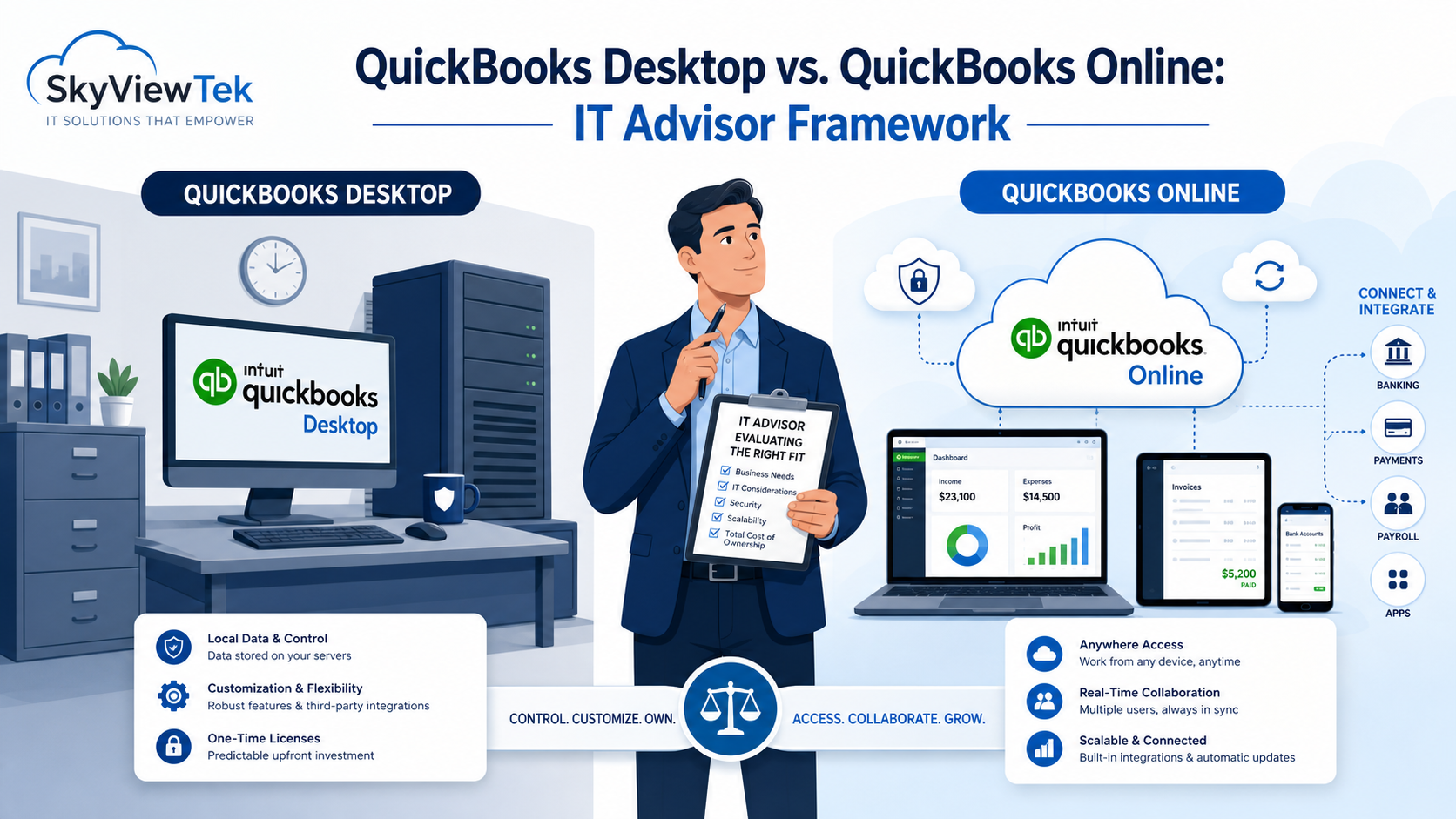
Accessibility & Collaboration Access from any device, anywhere — browser or mobile app. Multiple users can work simultaneously without needing a shared network or server. Accountant or bookkeeper access is trivial — no VPN, no file transfer. Real‑time data visibility for owner and advisors.
IT Infrastructure Relief Eliminates the need for a dedicated server or workstation to host the file. No more worrying about file corruption, backup integrity, or QBW file size bloat. OS compatibility headaches disappear (no more “will Desktop run on Windows 11?”). Patching, updates, and feature rollouts are automatic and silent.
Integrations & Ecosystem Native integrations with hundreds of SaaS tools (Shopify, Stripe, HubSpot, Bill.com, Gusto, etc.). An open API with modern REST architecture makes custom integrations easier. Bank feeds are more reliable and broader in QBO.
Subscription & Cost Predictability Opex model, with no large annual license renewal surprises. No server hardware refresh cycles to budget for. Scales with user seat additions easily.
Intuit’s Strategic Direction Intuit is end‑of‑lifing Desktop products over time, and QBO receives most of the R&D investment. Desktop is increasingly a legacy product; new features land in QBO first.
❌ Cons / Risks of Moving to QBO
Feature Gaps (this is the big one) QBO still lacks several Desktop features: job costing depth, inventory assembly and manufacturing, class plus location reporting flexibility, progress invoicing nuance, and more. Reporting is less customizable; Desktop’s report center is far more powerful. Payroll integration differences can also be jarring.
Industry‑Specific Workflows Contractors, manufacturers, non‑profits, and job‑cost‑heavy businesses often find QBO limiting. Desktop Premier and Enterprise have industry‑specific editions (Contractor, Nonprofit, Manufacturing); QBO has no direct equivalent.
Data Migration Risk Conversion from Desktop to QBO is lossy. Some historical data, transaction types, and custom fields do not transfer cleanly. Older company files (five or more years) or complex files with many custom list entries are especially risky. You typically get one free conversion; if it fails or the owner changes their mind, recovery is painful.
Internet Dependency QBO is useless without Internet; a downed connection means no accounting work. In rural areas or sites with unreliable ISPs, this is a real operational risk.
Cost Over Time QBO subscriptions often cost more annually than Desktop after two to three years, especially for multi‑user environments. QBO Advanced can run two hundred dollars or more per month; Desktop Pro with an annual renewal was far cheaper.
Performance & UX Differences QBO can feel slower for power users who navigate Desktop by keyboard shortcuts. The UI is simpler, which helps casual users but frustrates accountants used to Desktop’s depth. Some users never fully adapt, which can lead to data entry errors.
Vendor Lock‑In & Price Increases Intuit has aggressively raised QBO subscription prices, so the owner is at Intuit’s mercy year over year. It is harder to export and take your data elsewhere compared to a local .QBW file.
❓ Questions to Ask Before Making a Recommendation
📊 About the Business & Financials
-
What industry are they in? Contractors, manufacturers, and nonprofits often hit QBO’s feature ceiling fast.
-
Do they use job costing, progress billing, or project tracking? If yes, QBO may not meet their needs.
-
How many users need simultaneous access? This affects cost math significantly.
-
Do they run payroll through QuickBooks? Payroll migration adds complexity.
-
How many years of history are in the company file, and how large is it? This is a conversion risk indicator.
-
What is their annual QuickBooks spend today versus projected QBO cost? Run a three‑year total cost of ownership comparison.
🔌 About Their Technical Environment
-
What is their internet reliability? Fiber, cable, rural DSL, satellite?
-
Are they currently on a server or just a shared workstation? This tells you their current IT overhead.
-
Who manages the current Desktop installation — them, you, or their accountant?
-
Do they have an active IT support contract? This helps assess who handles the migration.
🧾 About Their Accounting Workflow
-
Does their external accountant or bookkeeper prefer one platform over the other? Accountant preference matters enormously.
-
Do they use any third‑party add‑ons connected to Desktop, such as inventory managers, POS systems, or industry software? These may not have QBO equivalents.
-
How sophisticated are their financial reports? Custom memorized reports in Desktop may not survive migration.
-
Do they reconcile inventory? QBO inventory is basic; Desktop Pro and Premier handle it more robustly.
🎯 About Goals & Risk Tolerance
-
Why are they considering the move — is it driven by a pain point or just “we heard cloud is better”?
-
What is their tolerance for a learning curve and temporary productivity dip?
-
Is their accountant or CPA willing to support the migration and the new platform?
-
Are they open to a hybrid option, such as Desktop hosted in the cloud by a provider like Rightworks or Verito, as a middle path?
🧭 The Hybrid Option Worth Mentioning
Before defaulting to “migrate to QBO,” always present the hosted Desktop option. In this model, QuickBooks Desktop runs in the cloud on a hosted server, and users connect securely over the Internet. This can deliver remote access and centralization without giving up Desktop functionality.
In general, QuickBooks Online is best for service businesses with simple inventory, multi‑location access, and a need for modern integrations. Hosted Desktop (with providers such as Rightworks or Verito) tends to fit complex workflows, heavy job costing, and established Desktop users who need cloud access without losing capabilities. Staying on local Desktop can still make sense for a single user or a single location with a reliable local network, no remote access needs, and a strong focus on cost control.
🏁 Bottom Line Recommendation Framework
- If the business is a simple service business that needs remote access and the accountant uses QBO, then migrate to QBO.
- If the business has complex job costing, manufacturing, or inventory needs, consider hosted Desktop.
- If it is a single location with no remote needs and a tight budget, staying on Desktop locally may be the best fit.
- If there is a power user who hates change but needs remote access, hosted Desktop is often the right compromise.
- If the business is growing, adding users, and wants modern integrations, QBO becomes more attractive.
The most common mistake is recommending QBO because it is “the future” without validating that the business’s workflows actually fit QBO’s feature set. The second most common mistake is staying on Desktop out of inertia and then getting blindsided by Intuit’s end‑of‑life timeline. Working closely with your CPA and with an IT advisor such as SkyViewTek helps you avoid both extremes and choose the path that best supports your business.