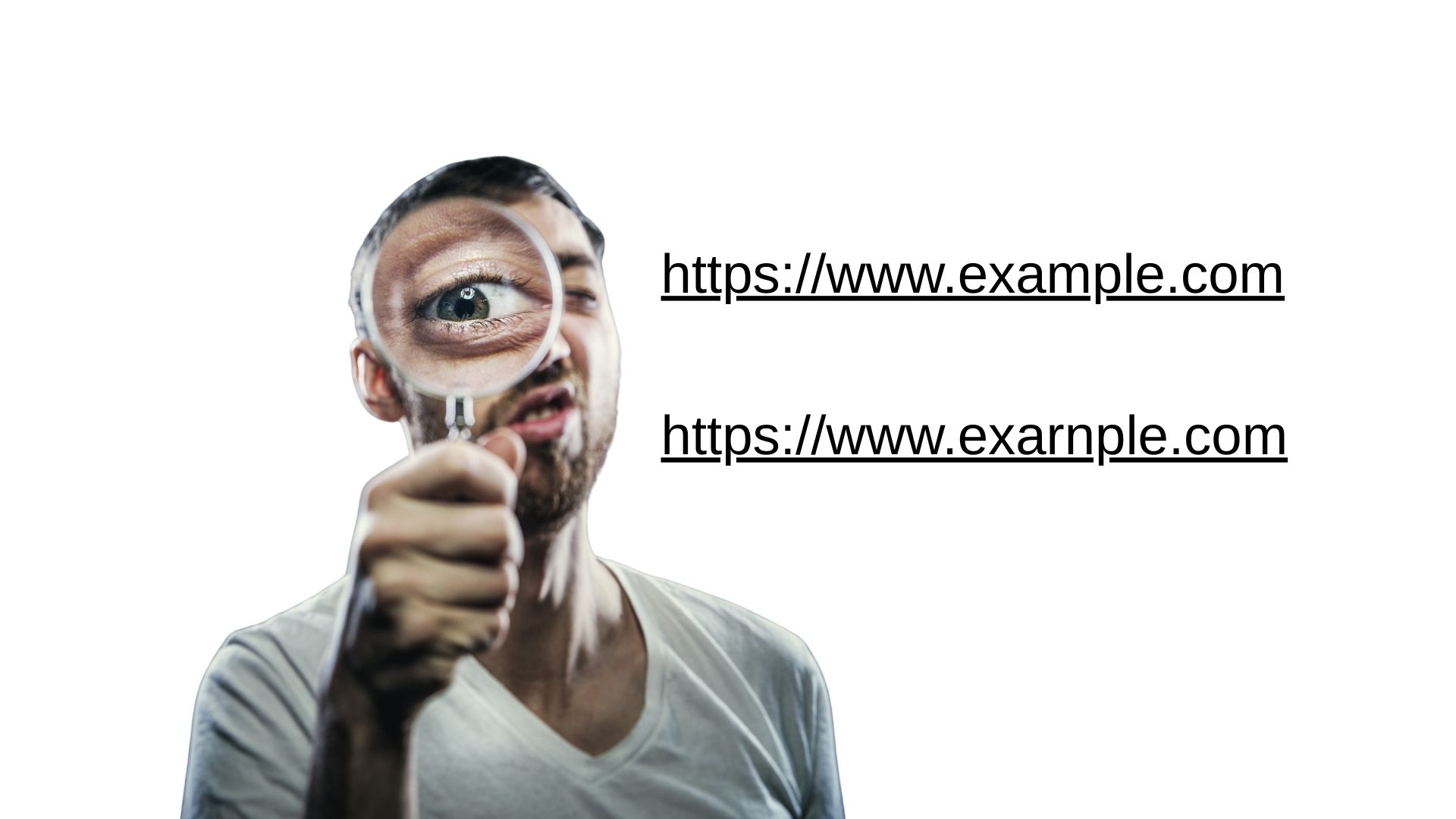
At a glance, many fake links look exactly like the real thing. But if you look closely, you may see small swaps, like “rn” pretending to be “m” or a lowercase “l” that is actually an uppercase “I”. These tiny changes are used in lookalike domains to impersonate trusted brands and trick people into clicking.
Attackers register these “almost right” addresses and use them in phishing emails, fake login pages, and bogus portals to steal credentials or install malware. On a phone screen or when you are rushing, your brain fills in the correct word and you do not see the difference.
Practical tips for your team:
🔍 Pause and read the domain name slowly, letter by letter.
📱 Be extra careful on mobile where URLs are small or truncated.
✏️ When in doubt, type the address yourself or use a saved bookmark.
🛡 Combine user training with technical controls like safe browsing, email filtering, and MFA as a safety net.
SkyViewTek helps businesses train employees to spot these visual tricks and put layered defenses in place so one bad click does not turn into a breach. Contact Bernie Orglmeister at support@skyviewtek.com or 610‑590‑5006.